Why BonBert sometimes takes a few extra seconds to scan a receipt
Good shopping insights start with good data. That is why we combine traditional OCR with self-hosted AI and optimise for reliable recognition rather than the fastest possible loading bar.
15 August 2026 · 7 min read · BonBert RedaktionWhy BonBert sometimes takes a few extra seconds to scan a receipt
At first glance, a receipt looks pretty simple.
Retailer. Products. Prices. Total.
A person can usually understand it with a quick glance. For software, however, a receipt can be a surprisingly difficult document.
Poor print quality, folds, shadows, unusual fonts, abbreviated product names and countless different layouts can turn a seemingly simple photo into a challenging recognition task.
That is why we follow a simple principle at BonBert:
Good shopping insights start with good data.
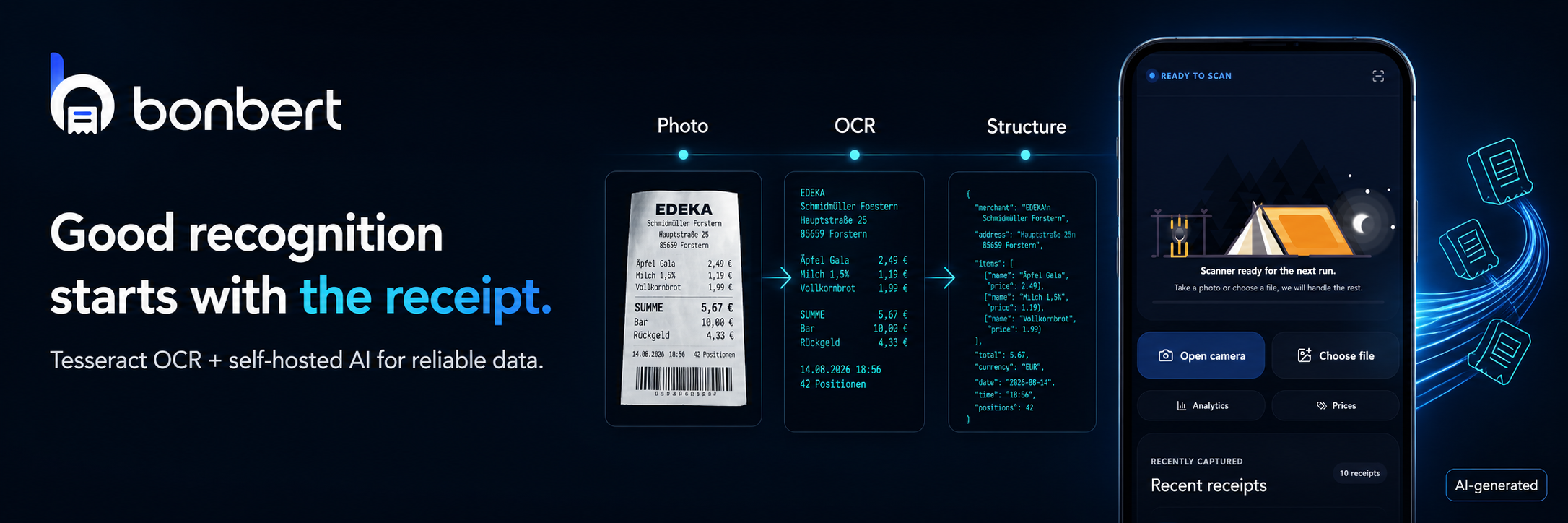
The receipt is the foundation for everything that follows
If BonBert is going to show you how much you spent on groceries, whether you previously bought a product for less or how your spending is changing over time, the information on the receipt first needs to be recognised as accurately as possible.
A wrongly recognised price does not only affect one line.
It can also distort statistics, categories, price comparisons and any insight generated from that data.
That is why we do not treat receipt scanning as just another upload function.
It is the data foundation for a large part of BonBert.
Why receipts are harder than they look
There is no single standard receipt layout.
Even two retailers can format their receipts very differently.
Then there are the everyday challenges:
- receipts can be folded
- thermal paper can fade
- individual lines may be poorly printed
- photos can be taken at an angle
- light can reflect off the paper
- product names are often heavily abbreviated
- quantities and prices may appear in unusual positions
- discounts can appear as separate lines
- deposits, coupons and subtotals need to be interpreted correctly
An OCR system may be able to recognise individual characters.
But the more important question is:
What do those characters actually mean?

That is why BonBert combines OCR and AI
BonBert uses several processing steps for receipt recognition.
One component is Tesseract, an established open-source OCR engine for text recognition.
OCR – Optical Character Recognition – initially has a fairly straightforward job:
Turn pixels into text.
But a receipt has not truly been understood at that point.
A recognised line such as
H-MILCH 3,5 1L 1,29
still needs to be interpreted as a product with a name, quantity and price.
That is where artificial intelligence becomes useful.
Qwen3.5 9B is self-hosted by BonBert
For AI-assisted processing, we use Qwen3.5 9B, among other components, and operate the model ourselves.
The model helps place recognised receipt content into context and transform it into structured information.
Instead of simply storing text lines, BonBert should be able to understand things such as:
- which retailer issued the receipt
- which lines actually represent products
- which price belongs to which item
- which values represent quantities or units
- where discounts or deposits appear
- which value is the final total
- how individual entries can be processed further
Combining traditional OCR with AI gives us significantly more possibilities than character recognition alone.
Why we run the AI ourselves
Self-hosting is a deliberate technical decision for us.
We want to retain as much control as possible over how receipt processing works inside BonBert.
That includes the ability to adapt models and processing steps to our specific use case.
A grocery receipt is very different from a regular page of text.
Product lines, prices, quantities, discounts and retailer-specific formats require their own logic.
Running our own infrastructure gives us the flexibility to continuously improve and optimise this pipeline.
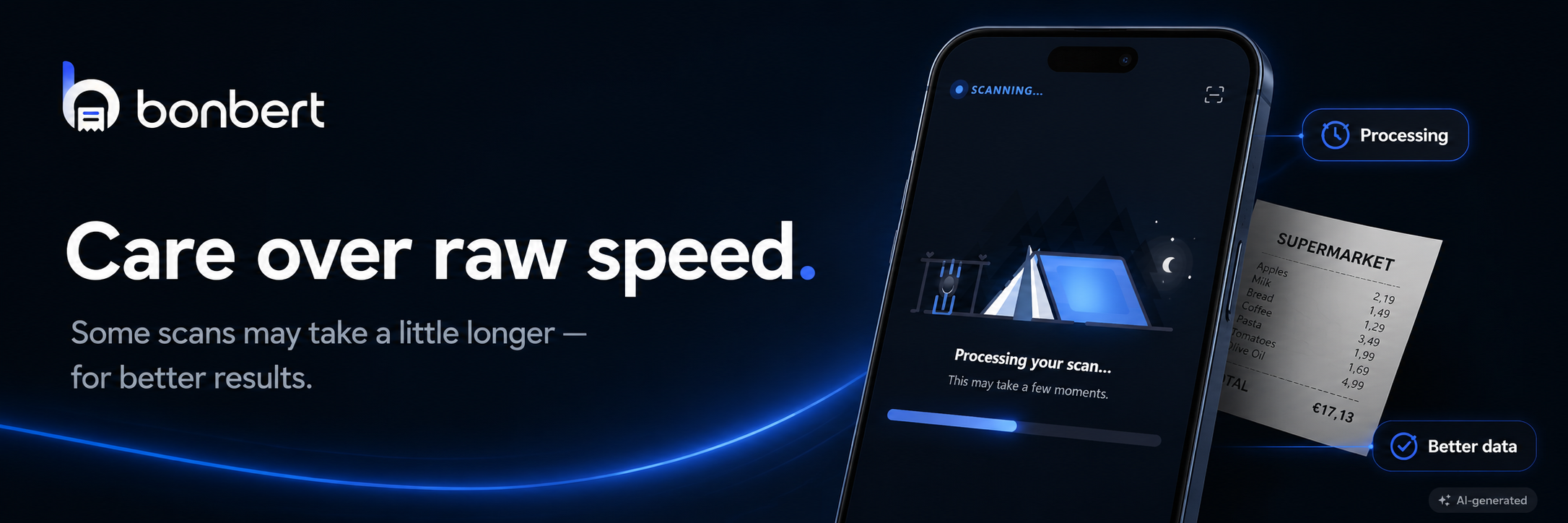
Why can a scan sometimes take a little longer?
We could optimise the entire process purely around showing any result as quickly as possible.
That is not our goal.
Instead, we want to find a good balance between speed and recognition quality.
A receipt should not take minutes to process.
But we also do not want to deliberately skip useful processing just so that something appears on screen a few seconds earlier.
Depending on the receipt, image quality and current processing requirements, analysis may therefore occasionally take a little longer.
We want to spend that extra time where it creates real value.
Fast is good. Correct is better.
Imagine your receipt says:
Butter – €2.79
and the system recognises:
Butter – €27.90
The scan might have finished extremely quickly.
The result would still be poor.
Your grocery statistics would suddenly be wrong.
A price comparison could draw the wrong conclusion.
And an insight based on that data would be equally useless.
That is why we do not look at speed in isolation.
The question is not:
“How quickly can we display a result?”
It is:
“How quickly can we display a result that we can have reasonable confidence in?”
BonBert should still feel fast
Focusing on quality does not mean that users should wait unnecessarily.
We continuously optimise the processing pipeline.
Our goal is to produce a good result as early as possible and only use additional processing where it genuinely adds value.
A clean, clearly photographed receipt should be easier to process than a crumpled one with shadows, faded print and an unusual layout.
Over time, BonBert should increasingly be able to account for those differences.

Good input helps too
Even the best recognition technology benefits from a good photo.
When scanning a receipt with BonBert, a few simple things can improve the result:
- keep the entire receipt visible
- photograph it as straight as possible
- avoid strong shadows
- use sufficient lighting
- make sure the text is in focus
- flatten heavily folded receipts when possible
BonBert should be able to handle difficult receipts.
But a good source image will always increase the chance of a particularly clean result.
Receipt recognition is never really finished
Receipt recognition is one of the areas we continuously develop at BonBert.
Different retailers, products and receipt formats constantly introduce new edge cases.
Those cases help us improve the processing step by step.
Our goal is therefore not to eventually say:
“Receipt recognition is finished.”
Instead:
“Receipt recognition keeps getting better with BonBert.”
Transparency matters to us
BonBert does not use artificial intelligence behind the scenes and pretend that it does not exist.
When AI performs part of the processing, we want to communicate that transparently.
For us, AI is one tool within a larger processing pipeline.
It does not replace the entire system and it is not automatically error-free.
That is why we combine different technical methods and continue developing validation and plausibility checks around recognised data.
From a photo to shopping intelligence
In the end, this is not about demonstrating impressive OCR technology.
It is about what becomes possible afterwards.
A receipt can become structured information:
Receipt → retailer → products → prices → categories → shopping history → statistics → price comparison → insights
The better the information is recognised at the beginning, the more useful the features become at the end of that chain.
That is why we invest so much attention in the first step.
Conclusion
At BonBert, we do not want to simply digitise receipts as quickly as possible.
We want to understand them as accurately as we reasonably can.
To achieve that, we combine traditional OCR with AI-assisted processing and operate our Qwen3.5 9B model ourselves.
That may mean that a scan occasionally takes a few seconds longer than a system optimised purely for maximum speed.
It is a trade-off we make deliberately.
Because if receipts are later used for statistics, price comparisons and personal insights, a strong data foundation matters more than an exceptionally fast loading bar.
BonBert should still be fast – just not at the expense of the data everything else depends on.
Technical note: BonBert uses Tesseract OCR and a self-hosted Qwen3.5 9B model, among other components, for receipt processing. The exact processing flow may vary depending on the receipt, image quality and continued technical development.
Transparency note: BonBert uses artificial intelligence in several processing steps. AI-assisted results can still contain errors despite additional validation and are continuously being improved.